 MigosVideo
men rap duo
Seedance 2.0 · 10s · 720p · 16:9The input photos · click to enlarge
AI RAP DUETS · TWO-PHOTO DUOS
Create your own Migos video from two photos. Turn you and a friend into an AI rap duo on the orange stage—no filming or editing needed.
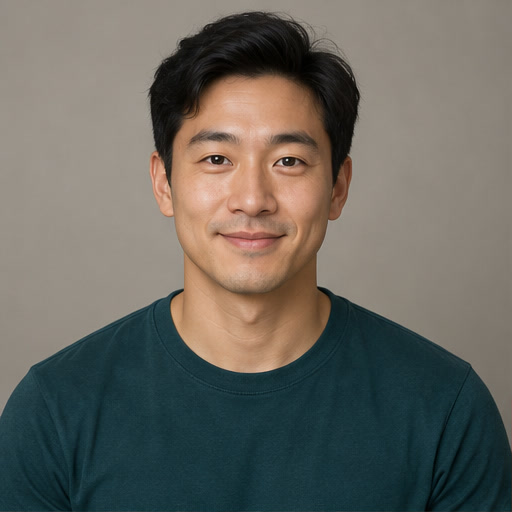
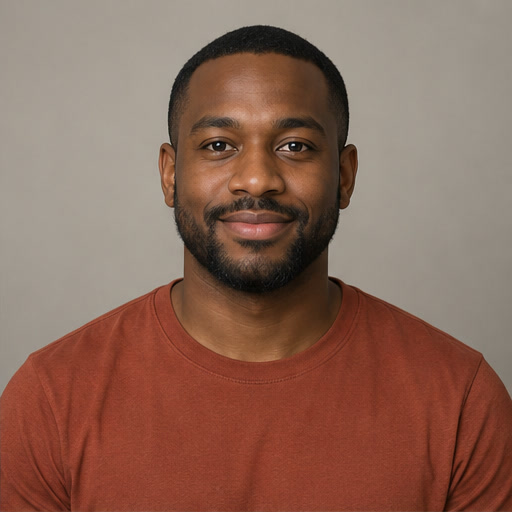
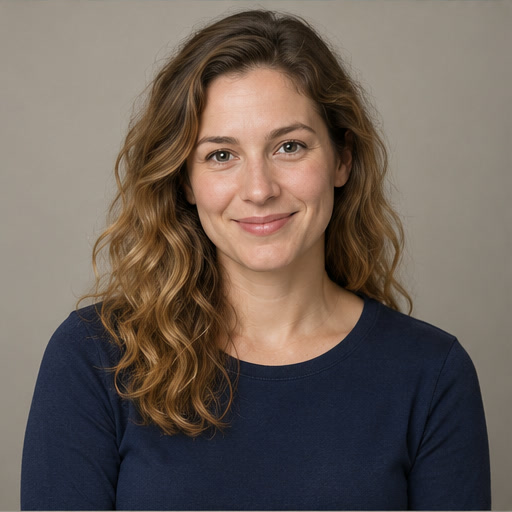
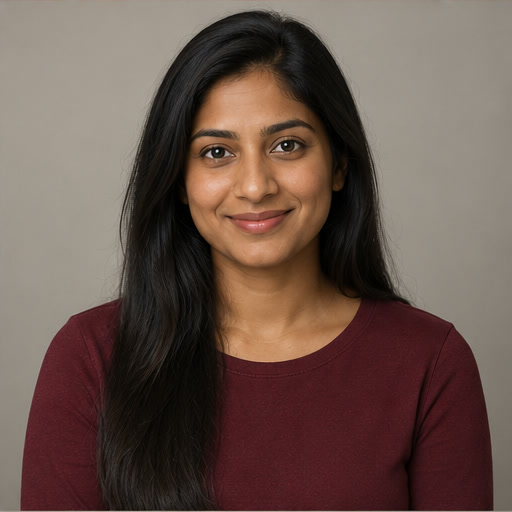
Two clear photos. One orange stage. Choose a format and see the cost before you commit.
Each clip has newly generated rap audio. The orange studio is fixed; custom lyrics and music uploads are not supported.
Hear generated samplesCredits are reserved at submission and charged only when the finished video is available. Failed or cancelled work releases the reservation; unresolved work has a six-hour deadline.
Input photos expire 24 hours after the session finishes. Cleanup runs hourly. Deleting a session immediately blocks access.
My videosPlay a sample to hear its newly generated rap audio. These experiments use fictional inputs; faces, lip sync, and sound can vary.
The input photos · click to enlarge
The input photos · click to enlarge
The input photos · click to enlarge
These fictional adult and pet input photos were generated with APIMart gpt-image-2. All three samples use Seedance 2.0 with the two input photos, an original stage image and original rap lyrics; no original performance footage or recording is sent. The two-men and dog-and-cat samples passed automated video/audio screening. The two-women sample received a visual spot-check only; complete automated video/audio screening did not finish. Finger and lip-sync artifacts may remain, and the pet animation is limited to mouth movements and simple paw gestures. These are experiments, not customer videos or a promise of matching identity, stage, or soundtrack.
A focused AI rap duet generator: less setup, flexible formats, and clear credit costs for your next two-photo performance.
Bring a photo of each subject. Create a shared performance without recording yourselves, learning a timeline, or opening editing software.
The duet template includes the studio backdrop, hanging microphone, and warm lighting. Choose your pair without building a scene or writing complex prompts.
Choose portrait, landscape, or square, at 720p or 1080p. Set the format before generating so your clip fits where you want to post.
See the credit cost before submitting. Credits are only charged when generation succeeds; confirmed failures automatically release your reserved credits.
01 / THE WORKFLOW
Two portraits, one original performance. Make the choices before you spend a credit.
One clear, authorized subject in each photo. Choose who stands left and right.
Pick 10 or 15 seconds, 720p or 1080p, and the frame that fits your post.
Review the credit cost, generate, then find your finished video in My videos.
MigosVideo is an AI rap video generator: upload two photos and it creates a short clip of both subjects rapping a duet together. A Migos video-style duo starts with two photos and a new warm-orange studio scene, not an edit of the original performance. Upload one photo per subject, choose a length and format, and Seedance 2.0 generates a shared stage with one hanging microphone and a new original rap duet sung over a fresh beat. Alongside your two photos the request includes an empty-studio backdrop we generate ourselves, so the set and camera stay fixed instead of being reinvented each time. No original footage, recording, or clip is sent to the model. There is no timeline to learn and no editing software involved. You pick the duo, and the model creates a new take.
Pick two photos that clearly show one person each. Choose how long the clip should run and which format fits where you plan to post it. The cost is shown before you generate, so you always know what a take will spend.
The format recreates a two-performer rap performance staged in an orange studio with a single hanging microphone. It became known as the Migos video trend as two-performer studio clips spread across social platforms, and people began recasting the scene with their own duos.
A Migos ai video here uses Seedance 2.0 through APIMart to generate a fresh scene from three image references and a text prompt. The first image is an empty studio backdrop we generate ourselves and contains no people; your two photos follow as the left and right subjects. None is treated as a start or end frame. No official footage, clip frames, song, or audio recording is submitted. The prompt asks for an original rap duet with newly written lyrics and forbids imitating any named artist, but the resulting scene, identities, sound, and exact timing can vary. Credits are reserved only when a generation starts and returned automatically if it fails; finished clips are saved privately to each account.
First, upload two photos. Each slot takes one clear, well-lit image showing a single subject facing the camera. Second, set the length, format, and resolution: ten or fifteen seconds, in landscape, portrait, or square, at 720p or 1080p. Third, confirm the cost and generate. Rendering runs in the background and usually finishes within a few minutes.
You can swap the left and right positions before generating if the pairing looks better reversed. Subjects can be people or pets, but photos of people must show adults you have permission to depict. The photos need not share a setting; similar lighting may help the model keep both subjects distinct.
Sharp, evenly lit photos with a visible face work best. Avoid sunglasses, heavy shadow, hands across the face, and group shots where the subject is one of many. A group photo forces the model to guess which person to cast, and the guess is often wrong.
The pictured test inputs are fictional AI-generated adult portraits and pet photos: two men, two women, and a dog with a cat. Finished results for all three pairs are shown above; the two-women clip received a visual spot-check only. A mixed duo and illustrated characters remain untested. If you publish a clip showing a real person doing something they did not actually do, clearly label it as AI-generated and follow your platform's disclosure rules.
When the model has limited information about a subject, it may borrow features from the other performer or drift between them as the camera moves. This is the most common complaint about the format, and it is a limitation of generating two distinct identities inside one continuous shot rather than a defect you can switch off.
The first release accepts one photo per subject and does not promise a verified likeness match or elimination of drift. Results vary by source image and scene. Choose source photos with clearly different lighting, hair, and clothing so the two subjects stay visually distinct throughout the clip.
02 / RIGHTS CHECK
Make something new with people and material you have the right to use.
Read the acceptable use policy03 / SIMPLE STARTING POINTS
Start with a one-time pack or get monthly credits. The full pricing page shows every option and billing term.
ONE-TIME PACK
$9.99
200 credits
Explore planMONTHLY PLAN
$19.99/ month
500 credits each month
Explore planMONTHLY PLAN
$49.99/ month
1300 credits each month
Explore planA 10-second 720p video uses 100 credits. Credits are reserved only when a generation starts, and returned automatically if it fails. See all plans
Two performers share an orange studio stage and a hanging microphone. Upload one photo for each subject to create your own AI rap duet in this format; each take requests a newly generated scene and original rap.
The requested output is an MP4 with new audio, but the presence of a watermark or audio cannot be guaranteed until each result passes review.
Cost is shown in credits on the generate button before you commit. Longer clips and 1080p cost more credits: a 10-second clip is 100 credits at 720p or 350 at 1080p. Credits are reserved when you submit and only charged once the video succeeds.
Generation runs in the background and may take several minutes. You can leave the page and download from My videos when it completes and passes review.
Pets work: the dog-and-cat example above was made with this workflow, though pet motion is mostly mouth movement and simple paw gestures. Cartoon characters are untested. For any real person you must be an adult who has permission to use their image. Nonconsensual impersonation and misleading endorsements are not allowed.
Credits are returned automatically when a generation is confirmed failed. No support request is needed.
Your uploads are used only to generate your video and are stored privately. You can delete them from your account at any time.
Ten or fifteen seconds, in landscape, portrait, or square, at 720p or 1080p.
Independent AI creation tool. Not affiliated with or endorsed by Migos, the artists, or their rights holders. Do not upload music or recordings you do not have permission to use.
YOUR DUO IS NEXT
Bring your two subjects to the orange booth. Signed-in users can generate; credits are reserved only when a generation starts.
Explore the generator